

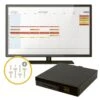


Pelco Camera Licences For VideoXpert Professional
Original price was: $30.00.$21.00Current price is: $21.00.
- 7 days return and exchange
- Buy with Confidence, Get Quality
- Quick responses, top-notch service.
- Fast, friendly, always here to help.

Pelco’s VideoXpert Professional is a Video Management system designed with Small to Mid-size installments in mind, capable of supporting up to 100 cameras.
With an intuitve interface, robust features, and a scalable design (with the use of Camera licences), VideoXpert Pro offers an ideal VMS solution for a wide range of users, from home to small/medium business applications.
Designed for use with Windows platforms, with an intuitive ‘Plug-and-Play’ design, VideoXpert is easy to Install, Set-up and Configure. It also offers an efficient all-in-one capabilities, allowing for the use of all non-client functions on a single machine, and for the monitoring of multiple VideoXpert Pro sites with a single client.
Software Licences
Each Camera (or other device, like an encoder) used on a VideoXpert system requires its own ‘channel’ licence. This means that for every camera in a video surveillance setup, the user will have to purchase individual licences for each for them to work in the VideoXpert system. An active SUP (software upgrade plan) is also required to enable VideoXpert updates – but if this support expires, it can be extended without a penalty fee.
With this system VideoXpert is easily scalable, and cost efficient. Without the need for a base licence, users can download and install the software itself for free, and purchase licences for the cameras they need as required.
VideoXpert Pro comes with four trial licences, and a 1-year SUP, to allow new users to get started quickly. But if additional cameras are required, or the SUP needs to be extended, additional licences will need to be purchased.
Licence / Software Update Plan options:
– VXP-1C – 1 Channel Licence with One-year SUP
– VXP-1C-3Y – 1 Channel Licence with Three-year SUP
– VXP-SUP-1Y – Extension to current Licence (SUP) – entitles you to upgrades for One year (one per channel is required)
– VXP-SUP-3Y – Extension to current Licence (SUP) – entitles you to upgrades for Three years (one per channel is required)
How to Install
Pelco offer VideoXpert Pro as a free download, users just need to purchase the supported channel licences for each camera in their system (as stated above). For more information about Pelco licence activation, and VideoXpert installation, please see the links below:
VideoXpert Pro Software Bundle – this gives users access to download and install VideoXpert Professional. Users should however be aware of its minimum system requirements:
| Item | Server | VxOps Centre |
| Processor | Intel Core i5 64-bit CPU | Intel Core i5 64-bit CPU with Intel HD graphics (or better) |
| Memory | 16GB | 16GB |
| Operating System | Windows 10 64-bit or Windows server 2012 (or newer) | Windows 10 Pro |
| Browser | Current versions of Google Chrome, Mozilla Firefox, or Microsoft Edge | Current versions of Google Chrome, Mozilla Firefox, or Microsoft Edge |
VideoXpert Licence Activation – a Pelco support article detailing how Licences are activated
Flexnet Operations Portal – for Licence activation
VideoXpert Installation – a Pelco support article detailing how VideoXpert software should be installed
Integrated Technologies
Point of Sale:
VideoXpert’s integration of eConnect technology allows for the use of Point of Sales capabilities to capture real-time transactional data, presented with video overlays. This allows users access to live and pre-recorded footage with quick visibility to identify, track and respond to activity.
Analytics:
With Agent Vi integration users are also provided with real-time Event Analytics, including; people, vehicle, and static object detection. Accessible through a singe UI users are also able to analyse data from multiple sources, so when an event is triggered, manual video review is replaced by rapid analysis, location and retrieval of associated data / footage stored by VideoXpert.
Perimeter Detection:
VideoXpert also includes Xtralis IntrusionTrace and LoiterTrace designed to provide real-time alarming, monitoring and detection, suitable for both indoor and outdoor applications. With this solution users will experiance high detection rates with reduced false alarms, and a system with impoved operational efficiency.
Licence Plate Recognition:
PlateSmart ARES is also implemented, allowing users to access all events and metadata captured using the LRP (Licence Plate Recognition) solution and unified Ops centre client. This provides the benefits of monitoring in real-time, as well as the use of historic and actionable Licence plate information.
Incident Management:
The integration of iView Systems, iTrak allows for the unification of event data with associated video, to deliver a centralised UI for incident and risk management. This UI is designed to be intuitive and easy to use, enabling simplified incident investigation and file export.
Access Control:
Alongside all of this, VideoXpert is also integrated with Lenel, a combination that delivers a unified access control and event management solution. With real-time event monitoring, and the ability to view both live and recorded footage, users are able to not only see an event as it unfolds, but view associated footage and make actionable decisions.
Client Applications
VideoXpert software is supported by its selection of Client applications, each included with or easily downloadable via Vx Professional. With these applications VideoXpert software offers impressive management tools, intuitive navigation, and more.
VxOpsCenter – Included with VideoXpert Pro
The Operator console, designed to provide an intuitive interface to help users navigate their VideoXpert system. It features support for up to 6 monitors, each uniquely configurable, and capable of displaying up to 16 video streams simultaneously.
The VxOpsCenter also allows users to operate clients in multi-system access mode, as well as offering support for modular plugins.
VxToolbox – Included with VideoXpert Pro
A desktop application used to manage cameras as well as the VideoXpert system, designed to offer a simple configuration solution.
VxToolbox connects to a VideoXpert server, equipping users with configuration tools, camera management settings, recording schedules, users, permissions, and rules.
VxPortal – Included with VideoXpert Pro
The VxPortal is a web-based client, designed to be used for live, playback, and PTZ footage. It is also equipped to activate relays, acknowledge events, de-warp, bookmark, edit camera names/numbers, and start easy exports.
Using standard web ports, the VxPortal is also designed to provide remote access to VideoXpert systems, via MJPEG and H.264.
VxPlayer – Can be downloaded directly from VideoXpert (more information on datasheet)
Also known as the VideoXport player, it is designed to decrypt, validate, and play-back secured exports from VideoXpert. It is also capable of converting exports into user-friendly file formats (including .mp4 and .avi)
| Licence | 1 Channel, 1 year support, 1 Channel, 3 years support, Extension, for 1 year, Extension, for 3 years |
|---|
Be the first to review “Pelco Camera Licences For VideoXpert Professional”
Related products

Accessories

Accessories

Accessories
Accessories

Accessories
Accessories
Reviews
There are no reviews yet.